Russian
 English
 German
 Japanese
 Korean
 Spanish
 French
 Italian
 Portuguese

CNC machine programming software takes a CAD model and outputs the toolpath code your machine controller needs to run a part. In practice, you are comparing CAM platforms on setup speed, toolpath quality, and post-processor support. The right fit depends on part complexity, machine axes, and production volume. A platform built for 3-axis milling may not handle многоосевая обработка or high-speed cutting strategies. Before committing, verify post-processor compatibility with your specific controller and confirm feed-rate logic matches your tooling. YPMFG can review your machine specs and confirm which CAM environment pairs correctly with your hardware.
Most buyers pick programming software by interface speed alone. That is often the wrong starting point. Toolpath accuracy, post support,and workflow integration determine whether the software saves hours or creates rework.
What CNC Programming Software Actually Does
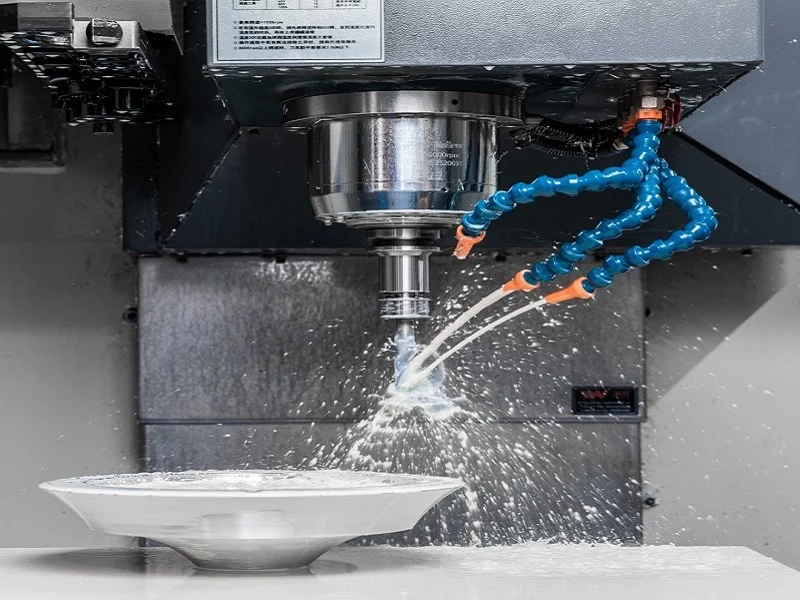
Программное обеспечение CAM handles the full path from part geometry to executable machine code. It selects tools, calculates feed and speed, and generates toolpath geometry based on your chosen strategy. Modern platforms include simulation and collision detection so errors surface on screen instead of on the machine. This reduces scrap, protects expensive spindle components, and shortens the verification cycle before first-article runs. For shops running mixed part families, this built-in safety layer pays for itself quickly.
Main Types of Programming Software
“Software” covers a wide range of products, and the label alone does not tell you what you are buying.
Standalone CAM – runs on a dedicated workstation, deep toolpath control, often paired with a specific controller brand.
Cloud-based CAM – browser-accessible, lower entry cost, good for low-volume or job-shop environments.
Integrated CAD/CAM – model and program in one environment, reduces file translation errors.
Controller-embedded programs – basic G-code editors built into the machine, suited for simple 2.5D work.
Your part mix and machine count determine which type saves the most time. A job shop running twenty different parts a month benefits differently from a high-volume turning line.
Key Features to Compare Before You Buy
Several dimensions determine whether a platform fits your shop. The table below covers what to evaluate before signing a license.
Treat the post-processor row as your first filter. If no verified post exists for your controller, the remaining features become irrelevant. YPMFG reviews the post-processor and hardware pairing during engineering evaluations to catch mismatches early.
Common Mistakes That Cost Shops Money
Buying on demo familiarity is the most frequent error. A tool that feels fast in a short demo may produce poor Генерация G-code for your actual part families. Another trap is overlooking custom toolpath strategies. If your parts demand tight cycle times, a platform with limited strategy options will bottleneck output. Also check that the material library matches the steel, aluminum, or composite grades you run. Wrong material parameters cause incorrect feeds, premature tool failure, and surface-finish issues that only show up during inspection.
One more pitfall: assuming a single license covers all machines. Multi-brand shops often need multiple post-processors or even separate CAM installations. Factor that into total cost before comparing sticker prices.
Вопросы, которые часто задают покупатели
Does every CAM program work with every machine controller?
No. Each controller (FANUC, Siemens, Heidenhain, Mazatrol, Haas) expects specific code syntax. You need a post-processor built for that exact controller and firmware version. Without the correct post, generated code may reject at the controller or machine the part incorrectly.
How long does it take to become productive in a new CAM environment?
Basic 2.5D and 3-axis programming typically takes two to four weeks of focused practice. Multi-axis machining strategies can take three to six months. Vendor-provided training and practice part files accelerate this significantly.
Can CAM software fully replace manual G-code editing?
For production parts, yes. CAM handles toolpath logic, feeds, and speeds automatically. Manual editing still helps for one-off parts or quick code tweaks where full CAM setup would take longer than hand-coding a few lines.
What should I verify before running a part on new software?
Run a full simulation with collision detection enabled. Compare the generated post output against a known-good program. Confirm feed rates match your tool vendor recommendations. A single wrong parameter can crash an expensive machine.
How do I know if my current software has hit its limit?
If program setup takes longer than the cut time, if operators still hand-edit G-code for most parts, or if you cannot model a new 5-axis operation without workarounds, the platform is outgrowing your workload.
Making a Better Decision on Your Programming Stack
The software you run interacts with tooling, fixturing, and machine capability. Choosing a platform in isolation creates gaps that surface during production. If you are unsure which CAM environment suits your part portfolio, send your drawings and machine specs to YPMFG for a no-obligation engineering review. We assess toolpath feasibility, flag cycle-time risks, and recommend a software-to-hardware pairing that fits your production targets.