German
  English
  Russian
  Japanese
  Korean
  Spanish
  French
  Italian
  Portuguese
Die Rechte CNC machine and software pairing determines whether your parts come out on spec or end up in the scrap bin. Software generates toolpaths, G-Code, and machine commands that the controller must execute without error. A mismatch between the two can cause axis offsets, oversized cuts, or full program crashes. Most compatibility problems surface during the first production run, not during installation. That is why buyers should verify software-to-machine compatibility before committing to either purchase.
Many workshops discover software gaps only after the machine is already on the floor. The cost of that discovery—downtime, rework, and lost orders—typically far exceeds the price of getting the pairing right from the start.
How a CNC Machine and Software Interact
Your CNC machine is the execution layer. The software is the planning and command layer. Between them sits a chain of Postprozessors and communication protocols that translate your CAM paths into machine-specific G-code.
If the post-processor does not match the controller firmware, the machine receives commands it cannot interpret. In many cases, this means the program simply will not run. In worse cases, it runs with wrong feed rates or missing axis moves.
The table below maps common software types to what they handle in a typical CNC machining workflow:
Reading this table helps you identify where a gap will appear. If your CAM software outputs a file format your controller does not accept, you need a matching post-processor or a file conversion step.
Key Factors When Matching Software to Your Machine

Start with the controller. Fanuc, Siemens, Haas, and Mazak controllers each use distinct G-code dialects. A post-processor written for one will not always work on another, even if both are 5-axis systems.
Next, confirm axis count and motion capability. A 3-axis machine and a 5-axis machine require different toolpath strategies in your CAM software. Running a 5-axis post-processor on a 3-axis controller will generate commands the machine cannot execute.
File format and DNC capability matter for large programs. Some controllers buffer only a few kilobytes. If your part program exceeds that buffer, you need remote send or DNC support built into the software.
Der YPMFG engineering team reviews these factors during a pre-production assessment. You can send your machine model, controller version, and software list for a compatibility check before your next build.
Quick checklist before you lock in a software purchase:
Controller brand, model, and firmware version
Number of axes and simultaneous motion capability
Available communication ports (RS-232, Ethernet, USB)
Required G-code dialect and post-processor file
Maximum program buffer size on the control
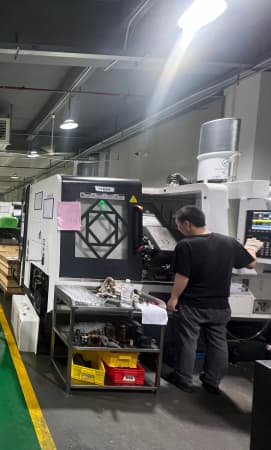
Whether your Maßgeschneiderte Bearbeitung operations need 5-axis simultaneous linkage
Common Compatibility Mistakes to Avoid
The most frequent error is buying the software first and hoping the machine will adapt. The machine’s controller is fixed hardware. The software must conform to it, not the other way around.
Second, skipping a dry-run test. Always cycle the program with the spindle and feeds disabled before running material. A single wrong post-processor line can drive the tool into the fixture.
Third, ignoring firmware updates. Controller vendors release patches that change subroutine calls or motion interpolation. If your post-processor was built for an older firmware revision, behavior may differ after the update.
YPMFG supports buyers who need to validate toolpaths against a specific machine setup. You can request an engineering review of your part file, tool selection, and post-processor configurations before cutting metal.
## Questions Buyers Often Ask About CNC Software and Machine Pairing
Do I need a separate post-processor for each machine in my shop?
In most cases, yes. Each controller combination—brand, model, and firmware—expects its own G-code dialect. One post-processor per machine model keeps your code clean and reduces debugging time on the floor.
Can I use the same CAM software across a 3-axis mill and a 5-axis turning center?
You can run the same CAM interface, but the toolpath output and post-processor differ completely. The 5-axis center requires simultaneous-axis commands the 3-axis mill will not recognize. Set up separate post-processor configurations for each machine.
What happens if my software sends G-code my controller does not support?
The controller typically halts the program at the unsupported line. Some controllers log the error; others freeze. Always verify command support against your controller’s programming manual before running a new program on the floor.
How do I confirm a software upgrade will still work with my machine?
Check the vendor’s compatibility matrix for your controller model and firmware version. Then run a simple test program—single-axis move, spindle on/off, coolant command—before releasing the upgrade to production.
Eine bessere langfristige Entscheidung treffen
So erhalten Sie die CNC machine and software alignment right protects your cycle time, surface finish, and repeat accuracy for the full life of the machine. A 30-minute compatibility review today prevents weeks of troubleshooting tomorrow.
Send your machine specifications, software list,and sample part geometry to YPMFG for a no-cost engineering assessment. You will receive a written note on post-processor fit, axis coverage, and any configuration changes needed before your first cut.