 English
  German
  Russian
  Japanese
  Korean
  Spanish
  French
  Italian
  Portuguese
 Quick answer:
Operating a CNC machine follows a defined sequence: verify safety interlocks, load the correct G-code program, set tool and work offsets, run a dry cycle, then start the automated process. Errors at any stage can damage tooling, scrap a part, or injure the operator. Exact steps vary by control system, but the core logic stays the same. Always confirm spindle orientation,coolant flow, and workpiece clamping before pressing cycle start. A 30-second pre-check saves hours of rework.
Most operators make their first mistakes during setup, not during the cut. A misaligned tool offset or unverified rapid path can turn a routine job into a costly crash. This guide walks through the operational sequence from pre-checks to post-cycle verification, with practical tips for reducing risk on the floor.
Pre-Operation Safety and Machine Checks
Before touching the control panel, walk around the machine. Confirm door interlocks are functional, emergency stops respond, and no loose fixtures hang inside the enclosure. CNC safety procedures begin here, not at the panel.
Check hydraulic and pneumatic pressure gauges against the manufacturer’s specified ranges. Low pressure causes clamping failures mid-cycle. Review the previous shift’s log for noted faults or alarms.
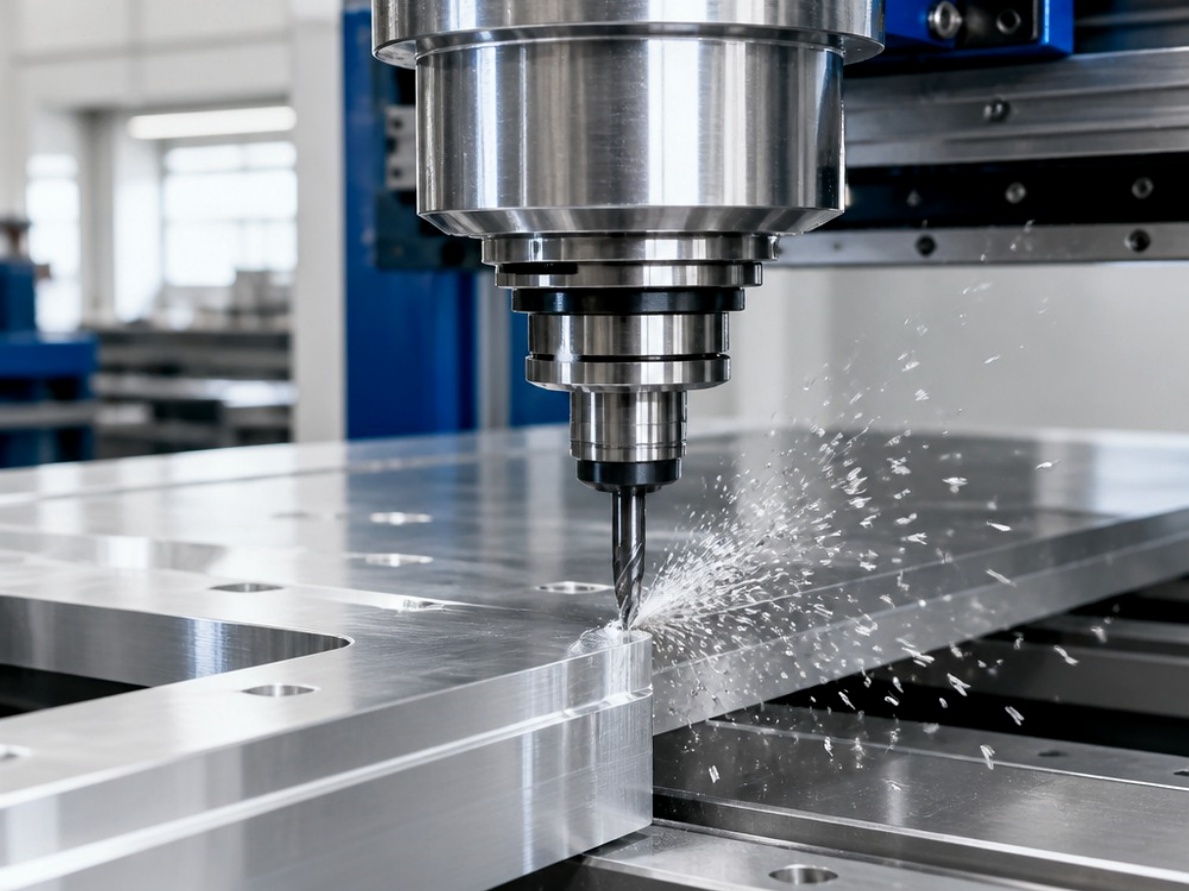
Verify coolant level and quality. Contaminated or low coolant degrades tool life and surface finish. Give the spindle a 30-second visual inspection for chip buildup before each shift.
Emergency stop tested and responsive
Door interlocks functional
Hydraulic and pneumatic pressure in range
Coolant level and cleanliness verified
Spindle free of chip buildup
Workpiece securely clamped within the work envelope
Loading and Setting Up the Program
Load the correct G-code program file onto the control. Confirm the part number, revision, and setup sheet match the job traveler. A single-character edit can shift the entire tool path.
Set tool offsets, work offsets, and feed-speed overrides. Step through the first tool change in single-block mode to verify the Z-zero reference. Tool offset setup is where the majority of first-article crashes originate.
Execute a dry run at 50% rapid override. Watch the path on the screen and listen for unusual servo sounds. YPMFG engineering support can review your setup sheets and flag ambiguous tool-change sequences before you launch production.
Running the Cycle and Monitoring
Press cycle start. For the first piece, feed at 50–70% override and listen to the cutting sounds. A steady hum means normal engagement; rising pitch or chattering signals a problem.
Monitor chip evacuation, coolant coverage, and feed rate. Rapid traverse movements should be smooth and silent. Any hesitation in the axes warrants an immediate feed hold and path re-verification.

Once the first piece clears inspection, release overrides to 100% and run the remaining quantity. Log anomalies in the shift report so the next operator starts informed.
Common Operational Mistakes to Avoid
Each of these errors is preventable with a 60-second verification habit. Build them into your CNC maintenance schedule as mandatory pre-cycle steps rather than afterthoughts.
Post-Cycle Inspection and Documentation
After the last piece, inspect tooling for wear, check the spindle for vibration, and clear chips from the way covers. Document tool-life hours and any anomalies in the log.
Archive finished-part measurements against drawing tolerance. If deviation exceeds 50% of the specified tolerance, flag the batch for engineering review before releasing it downstream.
Practical Questions Before Operating a CNC Machine
How often should I re-verify tool offsets?
At minimum at every setup and every tool change. In multi-shift operations, re-check at the start of each shift. Thermal growth between cold and heated states can shift offsets by 0.02 mm or more.
What override settings are safe for a first-piece run?
Use 50–70% feed override and 25–50% rapid override. This gives you time to react if the path is wrong while still producing a usable part for inspection.
When should I stop the cycle and call for help?
Stop immediately on metal-on-metal contact, abnormal vibration, or coolant spray hitting the tool instead of the workpiece. CNC safety procedures require an instant feed hold in those cases.
Can I modify the G-code during a production run?
Only in single-step mode with the cycle stopped. Editing a running program risks an instantaneous tool-path change. Document any fix and update the master file for the next setup.
Need Help with Your CNC Machine Operation?
If your team is wrestling with setup errors, thermal drift, or ambiguous control behavior, sending your program file and setup sheet to YPMFG gives you a second-eyes review before the next shift. We flag risky tool-change sequences, suggest offset verification points, and walk your operators through the specific control functions relevant to your machine.
Start by sending your part drawing, the G-code program, and a short note describing the issue. YPMFG’s machining engineers respond with targeted, application-specific suggestions rather than generic advice. That keeps your line moving and protects the first article.